Free Online Game
5 vs 10 vs 60 Second CPS Test: What’s the Difference?
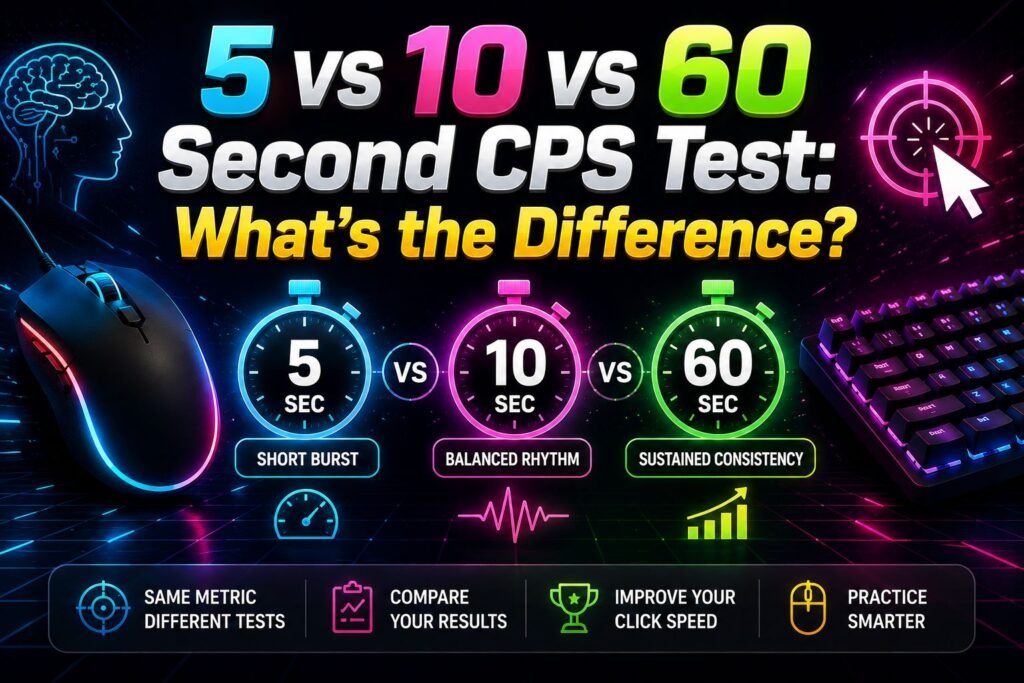
The main difference in a 5 vs 10 vs 60 second CPS test is the amount of time you must maintain your clicking pace. A 5-second test focuses on a short burst, a 10-second test gives you more time to establish a steady rhythm, and a 60-second test turns clicking into a much longer consistency challenge.
All three can report the same measurement—clicks per second—but their results are not necessarily interchangeable. Someone who can maintain a very fast pace for five seconds may not maintain exactly the same rate for a full minute. For useful comparisons, test duration, input device, technique, and testing conditions all matter.
What Is a CPS Test?
CPS stands for clicks per second. A CPS test counts the number of valid clicks registered during a fixed period and converts that total into an average number of clicks per second.
The basic calculation is:
CPS = total registered clicks ÷ test duration in seconds
The measurement itself is straightforward. What changes between tests is the time window over which your clicking is measured.
A short test gives you only a few seconds to produce your clicks. A longer test collects input over a much larger period. As a result, different durations can present noticeably different challenges even though the final number uses the same CPS unit.
CPS should also be interpreted narrowly. It measures registered clicking frequency during that particular test. It is not a measurement of intelligence, overall reaction time, general gaming ability, or health.
How CPS Is Calculated
Understanding the calculation makes it much easier to compare test lengths.
Suppose you make 30 valid clicks during a 5-second test:
30 ÷ 5 = 6 CPS
If you make 60 clicks in 10 seconds:
60 ÷ 10 = 6 CPS
And if you maintain the same average rate and make 360 clicks in 60 seconds:
360 ÷ 60 = 6 CPS
All three attempts produce a result of 6 CPS, despite having very different total click counts.
This distinction between total clicks and CPS is important. A person completing a 60-second test will naturally have an opportunity to accumulate far more total clicks than someone completing a 5-second test. Dividing by the duration makes the results easier to express as a rate.
However, that does not mean a 6 CPS result over five seconds represents exactly the same performance challenge as maintaining 6 CPS for an entire minute. The mathematical rate is equal; the duration over which it was maintained is not.
5 vs 10 vs 60 Second CPS Test
The three test lengths can be understood as different windows into clicking performance rather than competing versions where one is automatically better.
5 Second CPS Test
A 5-second CPS test is a brief burst challenge.
Because it ends quickly, there is relatively little time for your pace to change during the attempt. You can start clicking immediately and concentrate on maintaining a fast rhythm for only a few seconds.
The short duration also means each click has a relatively large influence on the calculated score. One additional click in a 5-second test changes the result by 0.2 CPS because 1 ÷ 5 equals 0.2.
For example, 30 clicks produce 6 CPS, while 31 clicks produce 6.2 CPS.
This makes the five-second format useful when you want a quick test of short-duration clicking. It is also easy to repeat, although repeatedly performing rapid clicking without adequate rest is not necessary to get useful personal comparisons.
10 Second CPS Test
The 10-second test sits between a very short burst and a prolonged clicking challenge.
Ten seconds gives you more opportunity to settle into a rhythm. You still need to click quickly, but maintaining that rhythm starts to matter more than it does during a five-second attempt.
Each individual click also has a smaller effect on the final CPS figure. One additional click over 10 seconds changes the average by 0.1 CPS.
If you register 60 clicks, for example, your result is 6 CPS. Registering 61 produces 6.1 CPS.
For many players, the main practical difference is pacing. Ten seconds is still a short test, but it gives changes in clicking rhythm more time to influence the result.
60 Second CPS Test
A 60-second test is considerably different in duration.
Instead of producing a brief burst, you must continue clicking for a full minute. Maintaining a comfortable rhythm becomes a central part of the challenge.
The effect of any single click on the displayed CPS is also much smaller. One extra click changes a 60-second average by approximately 0.017 CPS before rounding.
A long test can therefore provide a useful view of sustained clicking pace. Your speed may remain stable, increase after you find a rhythm, or decrease as the attempt continues. There is no requirement that your 60-second CPS match your five-second result.
For this reason, a 60-second result is better understood as a long-duration clicking result, not simply a more accurate version of a shorter test.
Quick Comparison
Here is a simple way to understand the differences:
| Test | Main Challenge | Individual Click Effect | Pacing |
|---|---|---|---|
| 5 seconds | Short burst | Larger | Brief, fast effort |
| 10 seconds | Short sustained pace | Moderate | Establishing a rhythm |
| 60 seconds | Long sustained pace | Smaller | Maintaining consistency |
None of these durations is universally superior.
If you want to see how quickly you can click during a brief window, five seconds makes sense. If you prefer a slightly longer attempt where rhythm has more opportunity to develop, try 10 seconds. If you want to see what happens when you maintain repeated clicking for a full minute, choose 60 seconds.
The important point is to interpret each result in the context of its duration.
Why CPS Results Can Differ
You should not be surprised if you complete all three tests and receive different CPS scores.
Several factors can influence a browser-based clicking result.
Test Duration
Duration is the most obvious difference.
Maintaining a particular clicking rate for five seconds is a different task from maintaining it for 60. Your pace can change during a longer attempt, which affects the average calculated across the full test.
Short tests can also be more sensitive to small variations because there are fewer total clicks and fewer seconds in the calculation.
Clicking Rhythm and Technique
People do not necessarily click at an identical rate every second.
You might start quickly, take a moment to establish a rhythm, or gradually change pace. Different clicking techniques can also produce different patterns of input.
If you are trying to compare your own results rather than experiment with technique, keeping your clicking method consistent makes the comparison more meaningful.
Mouse and Input Device
A CPS test records the input that reaches the browser, so your equipment is part of the testing setup.
Different mice can have different button designs and physical feel. A trackpad does not provide the same physical interaction as a conventional mouse, and touchscreen tapping is another form of input again.
That does not mean a particular device guarantees a particular CPS. It simply means that changing input methods introduces another variable into the comparison.
Browser and Device Performance
Browser-based tests operate within a larger input chain. A physical mouse action must be detected by the device, processed by the operating system, and delivered to the browser before the webpage can handle it.
Hardware, software, browser activity, and input processing can therefore contribute to differences in how interactions are registered.
This limitation is especially important when interpreting browser tests as measurements. A CPS test can count registered browser input, but it should not be treated as laboratory equipment for isolating the exact hardware latency of a mouse.
Testing Conditions
Your physical setup matters too.
A different chair height, mouse position, hand position, screen size, or playing environment can change how comfortable the same test feels. Natural attempt-to-attempt variation is also normal.
This is why controlled conditions are useful when you want to track your own scores.
Which CPS Test Should You Choose?
Choose the duration according to the question you want the test to answer.
Use the 5-second test when you want a quick short-burst challenge. It requires very little time and puts emphasis on clicking rapidly during a small window.
Choose the 10-second test when you want a short test that provides more opportunity to establish and maintain a rhythm.
Choose the 60-second test when you want a longer challenge focused on sustaining repeated clicking across a full minute.
There is no need to declare one of them the universal standard. They measure the same basic rate over different periods.
If your goal is to monitor your own performance over time, consistency in the chosen duration is usually more useful than constantly switching between tests.
How to Compare CPS Fairly
The simplest rule is compare like with like.
If you recorded a score using a 5-second test, compare it primarily with your other 5-second results. Do the same for 10- and 60-second attempts.
Try to keep the input method consistent as well. Comparing one attempt made with a mouse against another made using a touchscreen adds a device difference on top of the duration difference.
Where practical, use the same:
- Test duration
- Mouse or input device
- Clicking technique
- Browser and device
- General hand and mouse position
You can also complete more than one attempt. A single result can be unusually high or low simply because your rhythm varied during that round.
Repeated results under similar conditions give you more context about your normal range without requiring you to treat any individual attempt as a permanent measure of your ability.
Allow sensible rest between repeated rounds, particularly if your hand or fingers begin to feel tired.
Common CPS Misunderstandings
CPS is easy to calculate, but it is also easy to overinterpret.
Higher CPS Does Not Measure Everything
A CPS result tells you how many valid clicks per second were registered during the test. That is all the number directly establishes.
It does not automatically tell you how accurately you can aim, how quickly you respond to an unexpected visual event, or how skilled you are at a particular game.
A reaction-time challenge, for example, asks you to respond after a stimulus appears. A standard CPS test asks you to perform repeated clicking during a known time window. Those are different tasks.
A Longer Test Is Not Automatically Better
Sixty seconds gives you a longer observation period, but that does not make the test universally “better” than a five- or ten-second test.
The formats answer somewhat different practical questions.
A short test is useful for observing brief clicking pace. A longer one is useful when sustained pace is what interests you.
One Score Is Not Permanent
CPS can vary between attempts.
Even if you use the same equipment and duration, you may not reproduce exactly the same click count every time. Small changes in timing, rhythm, comfort, technique, and concentration can affect an individual attempt.
Treating your result as a performance from that round rather than a permanent personal rating provides a more realistic interpretation.
Tips for Consistent CPS Testing
If you want cleaner personal comparisons, focus first on consistency rather than chasing a particular number.
Position your mouse and hand comfortably before starting. Changing your grip halfway through an attempt can disrupt your clicking rhythm.
Use the same button and technique when comparing sessions. Switching methods makes it harder to know whether a difference came from your clicking pace or from the technique itself.
For longer tests, avoid beginning at a pace that immediately feels difficult to maintain. A 60-second challenge lasts twelve times as long as a five-second test, so pacing can become much more noticeable.
It is also worth avoiding endless back-to-back attempts. If your hand becomes tired or uncomfortable, take a break. Rapid repetitive clicking should not be continued through pain or discomfort.
Practising Click Speed
CPS tests can be used as simple browser challenges for entertainment and repeated mouse-control practice.
You can experiment with the three durations to see how your own pacing changes. For example, compare your five-second result with your 60-second result and observe whether your average remains similar across the longer test.
Rather than assuming the longest or highest result is automatically the most meaningful, decide what you want to practise.
For short bursts, use shorter rounds. For maintaining a controlled rhythm, try longer rounds. When tracking progress, use the same duration and similar conditions so that your comparisons have a reasonably consistent basis.
Related HitTheButton.io Games
Different browser challenges can focus on different aspects of clicking and input control.
A dedicated 5-second CPS challenge is useful for short bursts, while a 10-second version extends that window. A 60-second click speed challenge provides a much longer test of maintaining repeated input.
Accuracy and reaction games can offer a different challenge because they may require locating targets or responding to visual changes rather than simply producing the largest possible number of repeated clicks.
Understanding that distinction helps you choose a game based on what you actually want to practise or measure.
Frequently Asked Questions
What is the difference between a 5 vs 10 vs 60 second CPS test?
All three calculate clicks per second, but they measure your clicking across different durations. Five seconds emphasizes a brief burst, 10 seconds gives more time to establish a rhythm, and 60 seconds requires you to sustain repeated clicking for much longer.
How is a CPS score calculated?
Divide the number of valid registered clicks by the duration of the test in seconds. For example, 70 clicks during a 10-second test equals 7 CPS.
Why might my 60-second CPS be lower than my 5-second CPS?
A five-second pace only needs to be maintained briefly, while a 60-second test lasts twelve times longer. Your rhythm can change over the longer period, so the two results do not have to match. Individual experiences vary.
Is a 5-second or 10-second CPS test better?
Neither is universally better. A five-second test is suited to a very short burst, while 10 seconds provides a longer window for establishing a clicking rhythm. For personal comparisons, using the same duration consistently is more important than declaring one format superior.
Should I compare CPS scores from different devices?
You can, but changing devices adds another variable. If you want a cleaner comparison of your own clicking results, use the same input device, duration, technique, and similar testing conditions.
Final Summary
The 5 vs 10 vs 60 second CPS test comparison comes down primarily to duration and pacing. All three measure registered clicks per second using the same basic calculation, but they challenge you over very different periods.
A 5-second test is useful for a short burst, 10 seconds provides a slightly longer rhythm-based challenge, and 60 seconds focuses much more on sustaining your pace. None is automatically the best choice.
For the most meaningful personal comparison, choose the duration that matches what you want to test, keep your equipment and conditions reasonably consistent, and compare scores from the same test length.