Free Online Game
How to Improve Number Typing Speed: A Practical Guide
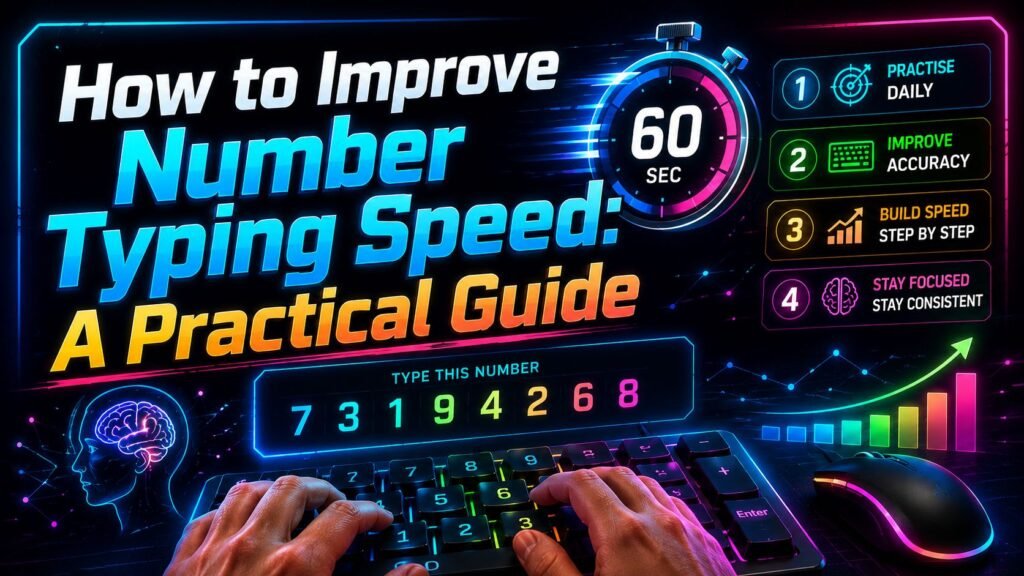
If you want to learn how to improve number typing speed, the most useful approach is to work on accuracy, key familiarity, and controlled speed together. Simply trying to press the keys faster often creates more mistakes, especially when numbers become longer or contain repeated digits.
A good practice method starts with a baseline test, identifies the keys and patterns that slow you down, and then uses short, focused exercises. Over time, you can compare your results under similar conditions to see whether your number-entry technique is becoming more consistent.
This guide focuses on practical exercises you can use with a keyboard, numeric keypad, laptop, or touchscreen.
What Number Typing Speed Involves
Number typing is slightly different from ordinary text typing. Instead of following words and familiar spelling patterns, you may need to reproduce sequences such as 583, 72041, or 936284 without changing the order.
Good number entry therefore depends on several things working together:
- Recognizing digits quickly
- Knowing where the number keys are
- Pressing the intended key accurately
- Keeping digits in the correct order
- Correcting mistakes efficiently
- Maintaining a comfortable rhythm
Speed is only one part of the result. If you type quickly but frequently reverse or omit digits, increasing your raw key-press rate is not particularly useful.
For practice, treat accurate number entry as the foundation and speed as something you gradually add.
What You Need Before Starting
You do not need specialist equipment. Use the device on which you actually want to become more comfortable entering numbers.
Desktop users may choose a full-size keyboard with a numeric keypad. Laptop users can practise with the number row if that is what they normally use. On a phone or tablet, a touch-based numeric keypad provides a different type of practice.
Before starting, position the keyboard so you can use it without excessive reaching. Keep your shoulders relaxed and aim to keep your wrists reasonably straight rather than continually bent upward or sideways.
Make sure the number sequence on the screen is easy to read. Unnecessary glare, a very small browser window, or distracting applications can make a timed test less consistent.
Take a Baseline Number Typing Test
Before changing your technique, establish a starting point.
A 60-second number typing test works well because it is short enough to repeat without turning the session into an endurance exercise. The Number Typing Speed Test on HitTheButton.io, for example, records score, accuracy, completed digits, and difficulty progression during a one-minute challenge.
Do not practise immediately before your first baseline. You want a reasonable picture of your current technique.
Complete two or three attempts with a short rest between them. Record the results rather than relying only on your highest score.
Pay particular attention to:
- Accuracy
- Digits entered correctly
- Total score
- Level reached
- Frequently mistyped digits
- Reversed digit pairs
- Mistakes on longer sequences
Your baseline gives you something meaningful to compare with later.
How to Improve Number Typing Speed Step by Step
Use the following method as the core of your practice.
- Choose one input method
Decide whether you are training on the top number row, a dedicated numeric keypad, or a touchscreen.
Avoid constantly switching between them during a practice session. Their layouts and finger movements differ, so results from one method should not automatically be compared with another.
If your goal is faster data entry on a desktop numeric keypad, practise primarily on that keypad.
- Learn where the keys are
Before trying to go fast, become comfortable locating each digit.
On a standard computer numeric keypad, 7, 8, and 9 form the upper number row; 4, 5, and 6 sit in the middle; and 1, 2, and 3 are below them, with 0 at the bottom. The 5 key commonly has a tactile marker that can help you orient your hand without looking down.
For the keyboard’s top number row, learn the left-to-right sequence from 1 through 0.
The goal is to reduce the need to search visually for individual keys.
- Start with short sequences
Begin with three-digit combinations such as:
583
207
914
662
480
Read the complete number, type it, and check the result.
Do not worry about completing as many sequences as possible yet. Concentrate on entering each sequence in the correct order.
Once three-digit entries feel controlled, move to four, five, and six digits.
- Practise difficult patterns separately
Random practice is useful, but targeted practice can expose specific weaknesses.
If repeated digits cause trouble, practise sequences such as:
5582
9007
3116
74449
If you tend to reverse adjacent digits, use sequences such as:
47 → 74
28 → 82
39 → 93
56 → 65
These are exercises rather than numbers to memorize. Create different combinations so you continue responding to what you see.
- Use a steady rhythm
Avoid alternating between frantic bursts and long pauses.
Try to develop a controlled sequence of movements: read, type, check, submit.
When you can maintain that process accurately, increase your pace slightly. If the faster pace produces a noticeable increase in errors, reduce it again and regain control.
- Add timed practice
Once basic accuracy feels comfortable, introduce a timer.
A 60-second challenge creates enough pressure to practise quick decisions without requiring a long session. During a timed test, continue treating correct entries as more important than random rapid key presses.
On the HitTheButton.io Number Typing Speed Test, incorrect submissions break your streak, while correct entries contribute to your score. The displayed sequences also become longer as you complete more correct answers.
That makes accuracy particularly valuable as the round progresses.
- Review the result instead of immediately restarting
After each timed attempt, spend a few moments looking at what happened.
If your score increased while accuracy fell sharply, you may simply have typed more aggressively. If both speed-related results and accuracy remain stable or improve across repeated sessions, that is more useful evidence that your technique is becoming consistent.
Rest briefly before another serious attempt rather than repeatedly restarting in pursuit of one unusually high score.
Practise the Numeric Keypad
If your main goal is numeric keypad speed, hand positioning deserves specific attention.
The raised marker on the 5 key can act as a reference point. Learn to recognize the surrounding keys relative to that central position rather than looking down for every digit.
Practise groups from different areas of the pad:
456
654
123
321
789
987
Then mix the rows:
159
357
824
619
472
Next, add sequences that require movement between distant keys.
The objective is not to memorize these examples. It is to become more familiar with the physical relationships between keys.
Also practise the controls you actually use. If your number-entry task frequently requires Enter, include it in your rhythm rather than practising digits alone.
Build Speed Without Losing Accuracy
One of the most common answers to how to improve number typing speed is also one of the least exciting: do not increase speed faster than you can control it.
Suppose you complete one test very quickly but make numerous incorrect submissions. On the next attempt, deliberately work at a slightly calmer pace and focus on clean entries.
Once you can maintain good accuracy consistently, try increasing the pace a little.
This creates a simple cycle:
Accuracy → consistency → slightly more speed → accuracy check.
If accuracy deteriorates, return to the previous controlled pace.
Longer sequences deserve extra care. A six- or eight-digit target provides more opportunities to omit, duplicate, or reverse a digit than a short target. When the sequence length increases, briefly adjust your pace rather than assuming you must type every target at exactly the same speed.
A Simple Daily Practice Routine
You do not need a long session to make number-entry practice useful.
A simple 10-minute routine might look like this:
2 minutes: Warm up
Type short three- and four-digit sequences at an easy pace.
The goal is to settle into your keyboard position and find a comfortable rhythm.
3 minutes: Accuracy practice
Use four- to six-digit sequences without concentrating on the clock.
Check every entry. Pay particular attention to repeated numbers and digit order.
3 minutes: Timed practice
Complete two 60-second number typing tests with approximately a minute of rest and review between attempts.
Avoid immediately repeating the test many times just to chase a personal best.
2 minutes: Difficult keys
Finish by practising the keys or patterns that caused the most errors.
You could follow this routine several days per week rather than assuming more practice is always better. Consistent practice may help you develop familiarity and technique, but the amount and rate of change will differ between users.
Common Number Typing Mistakes
Looking at the keyboard constantly can interrupt your visual attention because you repeatedly move between the target and the keys. If possible, gradually learn key positions well enough that you need fewer downward glances.
Reversing digits is another common practical problem. If you see 4837 but enter 4387, you have changed the sequence even though every required digit is present. Read in small groups when longer numbers become difficult to track.
Missing repeated digits can happen with sequences such as 50028 or 73319. Treat each visible digit as a separate required key press.
Another mistake is pressing Enter too early. A fraction of a second spent checking a questionable entry may be more useful than submitting something you already suspect is incorrect.
Finally, do not repeatedly hammer Backspace or Delete after losing track of a long entry. If corrections become frequent, slow the initial entry pace.
Measure Progress Properly
A personal best is enjoyable, but one high score does not provide the clearest picture of your progress.
Track several measurements when available:
- Accuracy
- Correct digits per minute
- Correct sequences
- Score
- Level or difficulty reached
- Typical mistakes
Compare results over multiple sessions.
Testing conditions matter too. A full-size mechanical keyboard, laptop number row, external numeric keypad, and touchscreen are different input environments. Key travel, layout, device responsiveness, and your familiarity with the hardware can affect how the test feels.
Browser performance can also matter in a browser-based timing test. Heavy background activity, an overloaded device, or unusual input delays may make one session feel different from another.
For cleaner comparisons, use the same device, keyboard, browser environment, test length, and input method when possible.
Take roughly similar breaks between attempts as well. A rested first attempt should not necessarily be compared directly with the tenth consecutive attempt after prolonged repetitive typing.
A 15-second test and a 60-second test also represent different challenges. Short tests are more affected by a brief burst of speed, whereas longer tests require you to sustain your technique. Compare like with like.
Desktop, Laptop, and Mobile Practice
Desktop users with a dedicated numeric keypad can concentrate specifically on ten-key-style number entry. Keep the keypad within comfortable reach so you do not have to continually extend your arm.
Laptop users may have no separate keypad. If your real-world work uses the number row, there is nothing wrong with practising there. Training should reflect the input method you actually need.
An external numeric keypad can be useful if you specifically want to practise that layout, but buying additional hardware is not required simply to perform number-typing exercises.
Touchscreen number entry is different again. There is no physical key travel or tactile key boundary in the same way as on a hardware keyboard. If you practise on a phone, compare future phone results with other touchscreen sessions rather than treating them as directly equivalent to desktop keyboard scores.
Create a Comfortable Practice Setup
Typing practice involves repetitive finger movements, so comfort matters more than squeezing in another attempt.
Position your keyboard directly in front of you or place the numeric keypad where you can reach it comfortably. Keep your shoulders relaxed, elbows reasonably close to your body, and wrists as straight and neutral as practical.
Avoid pressing your wrists against a hard desk edge while typing. If you use a palm support, it should not force your wrists into an awkward angle or prevent your hands from moving naturally.
Short practice sessions also make it easier to avoid unnecessary repetition. If you are spending much longer at a computer for work or study, include breaks and changes of activity rather than treating number practice as something that must continue uninterrupted.
If typing causes persistent pain, numbness, tingling, or other significant discomfort, stop the practice rather than trying to push through it and seek appropriate professional advice if needed.
Practise with Different Challenges
The Number Typing Speed Test on HitTheButton.io is useful when you want a focused 60-second number-entry challenge. Because the number sequences grow longer as you progress, it combines basic number typing with increasing difficulty.
Other keyboard games can provide variety. General typing challenges can help you become more familiar with keyboard movement, while reaction games emphasize responding promptly to changing visual information.
Keep the purpose of each activity clear, though. A reaction game is not the same measurement as a number typing test, so scores should not be compared as though they represent the same skill.
Frequently Asked Questions
How can I improve number typing speed without making more mistakes?
Start below your maximum pace and concentrate on correct entries. Practise short sequences first, then gradually introduce longer numbers and timed tests. Increase your pace only when you can maintain reasonable accuracy consistently.
Should I focus on speed or accuracy first?
Accuracy is the better starting point. Fast incorrect entries do not represent effective number typing. Once you know the key positions and can enter sequences reliably, gradually increase your speed while monitoring whether your error rate changes.
How often should I practise number typing?
Short, regular sessions are usually more practical than exhausting practice blocks. A session of around 10 minutes several times per week is a reasonable starting routine, but there is no universal schedule that guarantees a particular result. Adjust the amount according to your goals and comfort.
Is a numeric keypad faster than the number row?
There is no single answer that applies to everyone. A numeric keypad groups digits into a compact layout designed for numeric entry, while the top row is available on almost every standard keyboard. Your experience, technique, keyboard, and task all influence performance. Practise with the layout you actually intend to use.
How should I measure number typing progress?
Record results from the same test under similar conditions and look at both speed and accuracy. Use the same device and input method where possible, and compare several sessions rather than judging progress from one unusually good or bad attempt.
Your Practical Action Plan
To start working on how to improve number typing speed, take a 60-second baseline test and record your accuracy, correctly entered digits, score, and any recurring mistakes.
For your next session, spend two minutes on short sequences, three minutes on careful accuracy work, and then complete two timed one-minute attempts with a short break between them. Finish by practising whichever digits or patterns caused problems.
Repeat the routine consistently without forcing speed. After several comparable practice sessions, retest under the same conditions and compare your average performance, not only your highest score.
If accuracy remains controlled, gradually increase your pace. If mistakes rise substantially, slow down and rebuild consistency before trying to go faster again.