Free Online Game
How to Use Fun Typing Games for Kids at Home for Practice
Fun typing games for kids at home can turn basic keyboard practice into an activity that feels more like play than a lesson. The most useful approach is simple: choose a game that matches the child’s current ability, focus on accurate key presses first, keep practice manageable, and introduce faster or more complicated challenges gradually.
Typing games can give children opportunities to practise finding letters, following short sequences, entering words, and responding to timed prompts. They do not need to replace structured keyboard practice. Instead, they can add variety and give children a practical reason to use the keys they are learning.
What Are Fun Typing Games for Kids at Home?
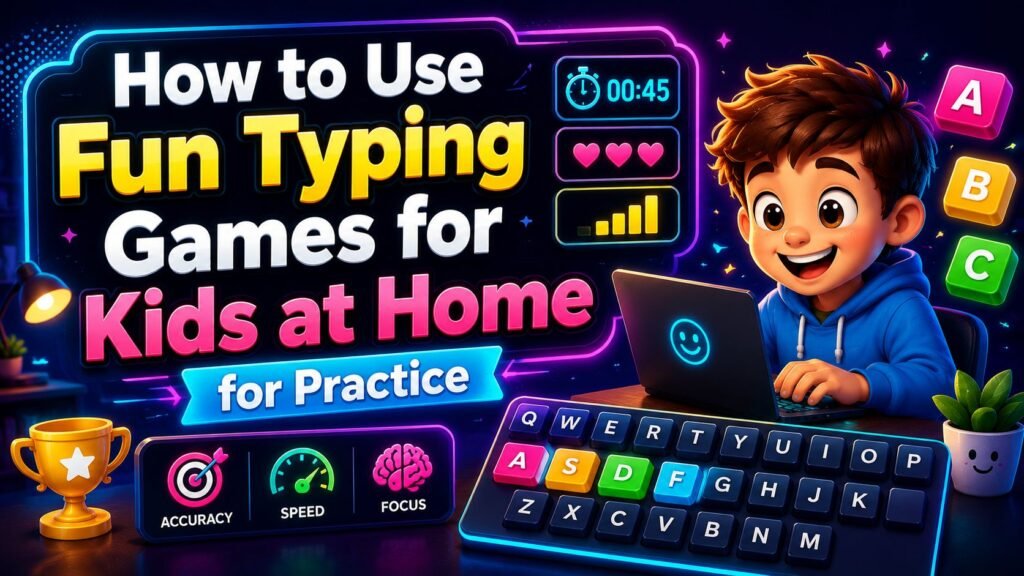
Typing games are interactive activities in which keyboard input is part of the challenge. A game might display a letter and ask the player to find it, present a word that must be typed correctly, or use a timer to make familiar keyboard tasks more demanding.
For a beginner, a useful typing game does not need complicated rules. A large letter on the screen and a clearly visible keyboard can provide plenty of practice. Once individual keys become more familiar, the activity can progress to letter combinations, words, numbers, punctuation, or sentences.
Different games also emphasize different things. Some reward accuracy, while others add time pressure. Some teach keyboard locations one row at a time, and others present letters from across the entire keyboard.
That variety is useful at home because the game can be matched to what the child is currently practising rather than choosing the hardest challenge available.
BIO
| Label | Information |
|---|---|
| Topic | Fun typing games for kids at home |
| Activity Type | Interactive keyboard practice and typing games |
| Main Purpose | Make home typing practice more engaging |
| Suitable Audience | Kids and beginner typists |
| Skills Practised | Letter recognition, accuracy, and keyboard familiarity |
| Beginner Activity | Single-letter and keyboard-location challenges |
| Next Step | Short letter sequences and simple word typing |
| Input Methods | Physical keyboard, mouse, or touchscreen where supported |
| Speed Practice | Timed challenges can add difficulty and variety |
| Accuracy Focus | Correct key selection should remain important |
| Practice Format | Short, varied activities matched to the child’s level |
| Related Activities | Alphabet, word, number, and accuracy typing games |
| Important Limitation | Game scores do not measure intelligence or learning ability |
What Kids Can Practise Through Typing Games
Typing involves more than seeing how many characters someone can enter in a minute. For beginners, simply learning where keys are located can be a significant part of the task.
Finding Letters on the Keyboard
Young beginners may recognize a letter immediately but still need time to locate it on a QWERTY keyboard.
Letter-matching games provide repeated opportunities to make that connection. If the screen displays “G,” for example, the player has to recognize the letter and find the corresponding G key.
An on-screen keyboard can provide additional guidance. Some games highlight the target key, allowing the child to compare the virtual keyboard with the physical one.
As the layout becomes more familiar, the visual assistance can become less important.
Accuracy and Letter Sequences
Once single keys are manageable, short sequences create a different challenge.
Typing “C,” “A,” and “T” in order requires more than locating three letters independently. The player must follow the sequence while avoiding nearby keys.
Games that progress from letters to short words can therefore provide a natural bridge between basic key recognition and more conventional word typing.
Typing at a Comfortable Pace
Speed is easy to measure, which can make it tempting to treat it as the main goal. For a beginner, however, fast typing with frequent incorrect key presses is not particularly useful practice.
A more sensible progression is to become comfortable locating and entering the intended keys, then gradually introduce time pressure.
Timed games can still be enjoyable from the beginning, provided the timer is treated as part of the challenge rather than a demand to type as fast as possible.
How to Use Fun Typing Games for Kids at Home
A home typing session does not need to be complicated. Start by selecting an activity that fits what the child can currently do.
A complete beginner may be better served by individual-letter games than by a paragraph-typing challenge. If the child already knows most letter positions, simple words or short sequences may offer a more suitable next step.
Before starting, explain what the game expects. Does a wrong key reduce a score? Are there lives? Is there a countdown? Can the child pause? Understanding the rules removes unnecessary confusion during the first attempt.
Treat that first round as a chance to learn the game rather than a performance test.
Afterward, identify one useful focus for another attempt. It could be finding difficult letters more confidently, making fewer errors, or completing a longer sequence carefully.
This keeps the activity purposeful without turning every round into a competition.
Choosing the Right Typing Challenge
Not every typing game is appropriate for every stage of keyboard practice.
Start With Alphabet Games
Alphabet games are a practical starting point for children who still search for individual keys.
Look for a clear interface with large prompts and an easy-to-read keyboard. Visual highlighting can be particularly useful when a child does not yet know where a requested letter is located.
At this stage, complicated sentences, punctuation, and demanding speed targets may simply distract from the basic task.
Move to Words and Sequences
When individual letters become easier to find, introduce two- or three-letter sequences and simple words.
This changes the challenge from “Where is this key?” to “Can I enter these keys correctly and in the right order?”
Later, longer words and sentences can provide additional practice once the basic keyboard layout feels more familiar.
Add Timed Challenges
A timer can make an already familiar task more exciting.
The important distinction is that the timer should add challenge rather than encourage random key pressing. If a player starts making many mistakes because they are racing the clock, slowing down may actually produce a better attempt.
A useful personal challenge might be completing a timed round while losing fewer lives or making fewer mistakes, rather than concentrating only on the final score.
A Simple Home Typing Routine
One advantage of browser-based typing games is that they can be combined in different ways.
Start with an easy keyboard warm-up. Ask the child to locate a few letters without worrying about speed. Letters that are spread across the keyboard can make a useful warm-up because the player has to look beyond one row.
Next, use an alphabet or letter-location game. The focus here can remain on recognizing the prompt and selecting the intended key.
If that feels comfortable, move to short sequences or words. A more experienced player might instead progress to sentences or number typing.
Finish with a short timed challenge if the child enjoys that format.
The final score does not have to be the main discussion afterward. It can be more useful to notice something specific: perhaps M and N were often confused, the top row was slower to find, or accuracy stayed strong even when the prompts became harder.
The routine can be changed from one session to another. Variety prevents keyboard practice from becoming the same repeated test.
Making Typing Practice More Engaging
Giving children some choice can make home practice feel less rigid. Instead of assigning one game every time, offer a choice between two suitable activities that practise similar skills.
Small personal challenges can also make repeated rounds more meaningful.
For example:
- Complete a round without losing a life.
- Find five difficult letters correctly.
- Beat a previous personal score while remaining accurate.
- Complete a short sequence without looking away from the prompt.
- Try a word challenge after finishing an alphabet round.
These goals keep attention on the activity itself rather than comparing one child with another.
Sound, visual feedback, highlighted keys, difficulty levels, and progress indicators can also make typing practice easier to follow when games provide those features. If sound becomes distracting, a mute option can make the activity more comfortable.
Most importantly, watch the quality of the practice. If the child becomes frustrated or starts hitting keys without paying attention, continuing the same activity is unlikely to make the session more useful.
Accuracy or Speed: What Should Come First?
For beginners, accuracy and keyboard familiarity deserve attention before chasing maximum speed.
If a child is still searching for the letter P, demanding a faster response does not solve the underlying problem. More useful practice gives the child repeated opportunities to locate P and other less-familiar keys correctly.
Speed can develop as the keyboard becomes more familiar, and timed exercises can then provide an additional challenge.
This does not mean children must master perfect typing before playing a speed game. Accuracy and speed can be practised together. The key is not allowing the timer or score to become more important than entering the intended characters.
Games with limited lives make this trade-off particularly clear. Typing rapidly is less helpful if repeated errors end the round early.
Common Home Typing Practice Mistakes
A common mistake is choosing a game because it looks exciting rather than because its difficulty fits the player.
A beginner who is still locating A–Z keys may become frustrated by a game that immediately requires full sentences. Starting with simpler tasks provides a clearer path forward.
Another mistake is focusing entirely on scores. Scores can motivate some players, but they do not tell the whole story. A lower-scoring attempt with fewer careless errors may still represent useful practice.
Avoid advancing difficulty too quickly as well. Being able to recognize individual letters does not automatically mean a child is ready to type long passages comfortably.
Repeating exactly the same activity can create another problem. If a child knows a particular set of prompts too well, the game may become more about remembering the activity than practising a broad range of keyboard input.
Rotate between letters, words, numbers, accuracy challenges, and timed exercises when those activities are appropriate.
Finally, avoid direct comparisons between children. Keyboard familiarity can differ because of previous computer use, device type, typing technique, and experience with a particular game.
Using the Alphabet Typing Test for Practice
The Alphabet Typing Test on HitTheButton.io is one example of how a simple game can fit into home practice.
A round begins with individual alphabet letters. The player sees a large target letter and enters it using a physical keyboard or the on-screen QWERTY keyboard. The required on-screen key is highlighted, which can provide a visual clue for beginners.
Each game begins with 45 seconds and three hearts. An incorrect letter removes a heart, so the challenge encourages players to consider accuracy as well as speed.
Difficulty increases as correct letters accumulate. The game moves from individual letters to two-letter and three-letter combinations. At the highest level, simple three-letter words can appear.
That progression allows one round to begin with straightforward key recognition and become more demanding if the player performs accurately.
For home practice, the personal best score can provide an optional challenge. It does not have to be the only goal. A child could instead try to reach a later level with more hearts remaining or concentrate on entering sequences without errors.
Other Typing Activities to Try
Fun typing games for kids at home work better as a varied group of activities than as one repeated game.
Number typing challenges can shift attention from A–Z to the keyboard’s number keys. Word games require several correct keystrokes in sequence, while sentence exercises can introduce spaces, capitalization, and punctuation when the child is ready.
Accuracy-focused activities are useful when rushing has become a habit. Timed keyboard games can then add speed and reaction pressure for variety.
There is also value in occasional untimed keyboard exploration. Asking a child to find a set of letters, spell a familiar word, or identify the different keyboard rows removes score pressure while still providing practical keyboard experience.
Important Limitations
Typing games should be treated as practice and entertainment tools, not tests of intelligence, learning ability, attention, or overall academic performance.
A game score can be influenced by many ordinary factors. A child using an unfamiliar laptop keyboard may perform differently from the same child using a keyboard they know well. Touchscreen input and physical keyboards also provide different experiences.
Game rules matter too. Limited lives, highlighted keys, timers, word difficulty, and scoring systems can all affect results.
For that reason, scores from different games are not necessarily directly comparable.
Typing games also do not need to replace every other form of keyboard practice. They can work alongside structured typing exercises, school activities, writing tasks, and ordinary computer use.
Frequently Asked Questions
What are good fun typing games for kids at home?
Useful options include alphabet-matching games, keyboard-location challenges, simple word typing, number typing, accuracy activities, and age-appropriate timed games. The right choice depends on the child’s current familiarity with the keyboard.
Should kids practise typing speed or accuracy first?
Beginners generally benefit from paying close attention to accurate key selection and keyboard familiarity rather than trying to maximize speed immediately. Timed challenges can be added gradually while accuracy remains part of the goal.
How can I make typing practice less repetitive?
Rotate between different activities. One session might use alphabet keys and simple words, while another could include numbers or a timed challenge. Small personal goals can also give repeated games a different purpose.
Can kids practise typing on a tablet?
Touch-friendly typing games can provide practice with recognizing letters and entering sequences, but tapping an on-screen keyboard is not identical to typing on a physical keyboard. The experience and results may therefore differ between devices.
Are fun typing games for kids at home suitable for beginners?
Yes, provided the game matches the child’s current level. Complete beginners can start with individual letters and clear visual guidance before progressing to combinations, words, timed exercises, and more complicated typing tasks.
Keep Home Typing Practice Simple
The most useful home routine does not need complicated targets. Start with activities the child can understand, make accuracy and keyboard familiarity important, and increase difficulty as the basic tasks become more comfortable.
Games can add timers, scores, levels, lives, and visual feedback to make repeated keyboard use more engaging. By mixing simple letter challenges with words, numbers, accuracy exercises, and occasional speed tests, home typing practice can stay varied while giving children plenty of opportunities to become more familiar with the keyboard.